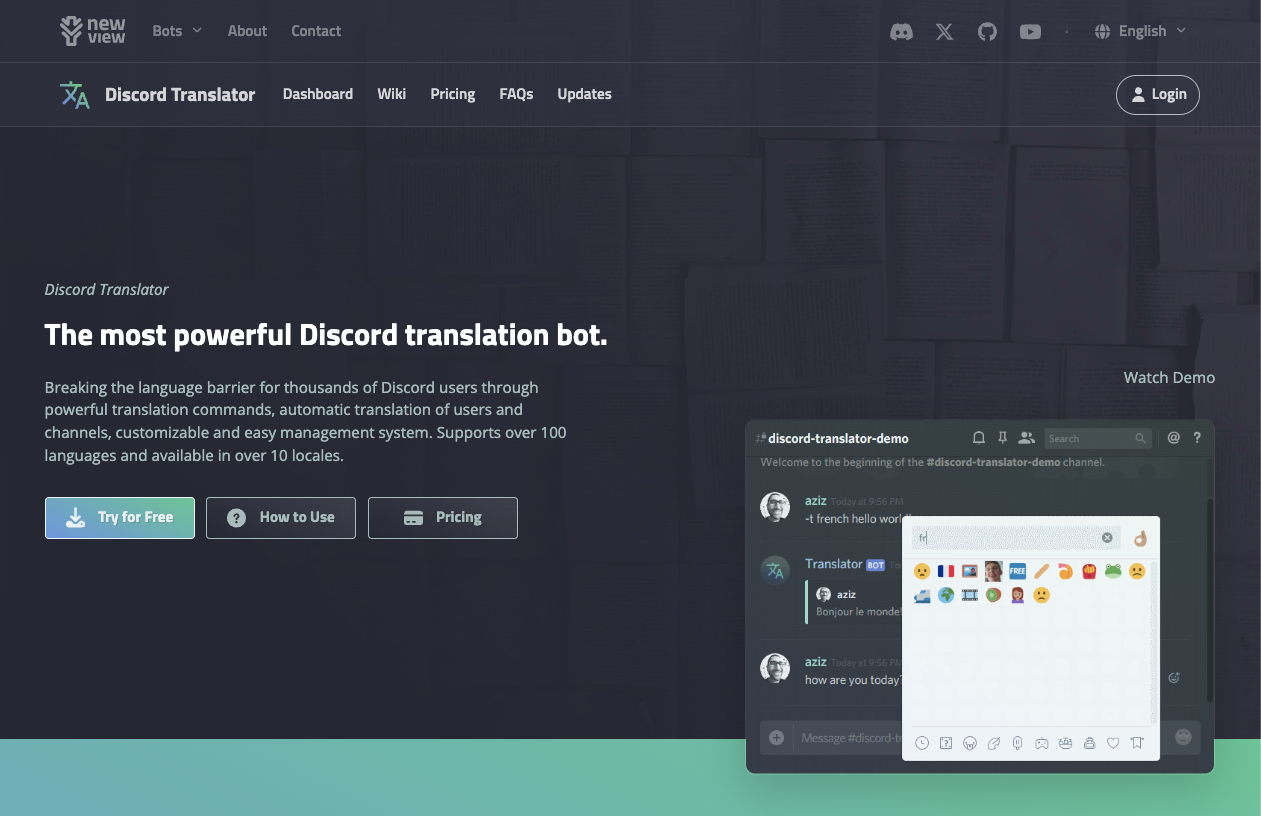
“Translate Bot” refers to a category of bots (like Discord Translator or iTranslator) that instantly translate Discord messages into other languages.
Why is this essential in places like Australia?
Australia is a multicultural hub where nearly 30% of the population is born overseas. In cities like Sydney and Melbourne, it is common to have gaming communities with members speaking Mandarin, Vietnamese, Tagalog, and Hindi.
Translate Bots solve the “English Only” barrier. Instead of forcing everyone to speak perfect English, these bots allow users to speak their native language while others simply click a Flag Reaction (e.g., 🇺🇸) to understand them.
🌏 History: From Commands to Flags
- The Early Days: Originally, translation bots were clunky. You had to type !translate ja hello, which disrupted the flow of conversation.
- The Breakthrough: The invention of “Flag Reaction Translation” changed everything. The idea that “clicking a flag translates the text” was intuitive and revolutionized international servers.
- Modern Era: Today, premium bots use DeepL or Google APIs to provide near-native accuracy, becoming standard in global support servers and esports clans.
⚙️ Key Features
1. Flag Reaction Translation (The Core Feature)
This is what 90% of users use.
- How it works: You see a message in Japanese. You react with the 🇺🇸 flag. The bot replies with the English translation.
- Why it’s popular: It’s passive. It doesn’t clutter the chat unless someone needs it.
2. Auto-Translate Channels (Pro Feature)
This links two channels together.
- Example: Channel A is for English speakers. Channel B is for Spanish speakers.
- When someone types in Channel A, the bot automatically posts the Spanish translation in Channel B, and vice versa. It allows seamless cross-language conversation.
💻 Essential Command List
Most bots (especially Discord Translator) use similar Slash Commands (/).
🌐 Translation Actions
| Command / Action | Description |
| /translate [Text] [To_Lang] | Manually translates specific text (e.g., /translate Hello Spanish). |
| Reaction: 🇯🇵 | Translates the message into Japanese. |
| Reaction: 🇺🇸 | Translates the message into English. |
| Reaction: ❌ | Deletes the translation (useful if it’s cluttering chat). |
⚙️ Admin & Setup
| Command | Description |
| /settings | Configures how translations appear (Reply, DM, or Same Channel). |
| /auto | (Premium) Sets up automatic channel translation groups. |
| /stats | Shows usage statistics for the server. |
🚀 Setup Tutorial: Enabling Flag Reactions
The most common complaint is “The flags aren’t working!” Here is how to fix it.
Step 1: Invite the Bot
Search for “Discord Translator” (by nvu.io) or similar on the Discord App Directory.
- Permissions: It needs Read Messages, Send Messages, and Add Reactions.
Step 2: Enable Reaction Translation
By default, this might be off to save resources.
- Type /settings.
- Navigate to the Reaction or Translation menu.
- Ensure “Reaction Translation” is toggled ON.
Step 3: Choose Output Style (Crucial)
Decide how you want the translations to appear:
- Reply (Recommended): The bot replies to the original message. Keeps context clear.
- Same Channel: The bot just posts the text. Can get messy.
- DM (Direct Message): The bot DMs the translation to the person who clicked the flag. Good for privacy but less social.
❓ FAQ: Troubleshooting
Q: I clicked the flag, but nothing happened.
A: Three possible reasons:
- Permissions: The bot cannot read that specific channel.
- Old Messages: Most bots cannot translate messages sent before the bot was invited.
- Unsupported Flag: The bot might not recognize obscure flags. Stick to major ones (🇺🇸, 🇫🇷, 🇯🇵, 🇨🇳).
Q: Auto-translate isn’t working.
A: It is likely a Premium feature.
Automatic, real-time channel translation consumes a lot of API resources (which costs money). Most bots lock this behind a paywall (Premium). The free version is usually limited to manual commands and reactions.
Q: Is the translation accurate?
A: It depends on the engine.
- Google API: Great for Asian languages (Vietnamese, Thai, Japanese).
- DeepL API: Superior for European languages but supports fewer languages overall.
- Tip: If accuracy is vital, check which engine your bot uses.
🌟 Conclusion
Translate Bot is the ultimate tool for building a “Borderless Community.”
If you have members who are shy about their English, invite this bot and tell them: “It’s okay to speak your language! We’ll just click the flag.” This simple gesture can massively boost engagement and inclusivity in your server.
Next Step for You: Invite a Translate Bot, type a message in your native language, and react with a foreign flag to test the magic yourself!