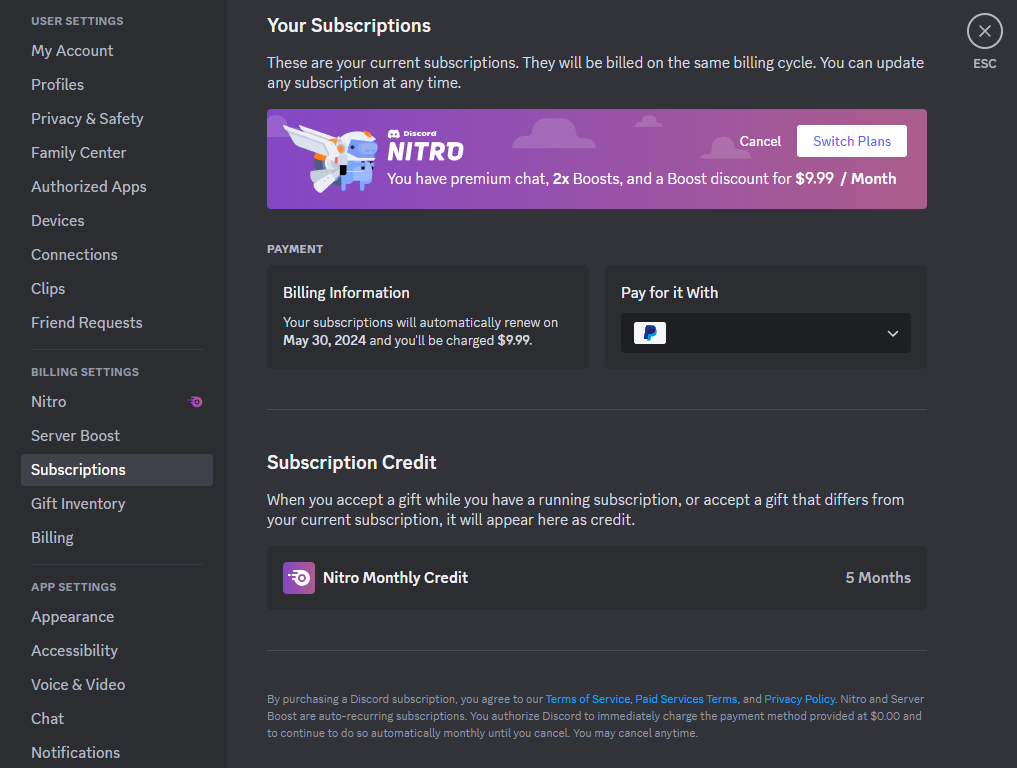
Can you get a refund on Discord? Yes, but you have a strict time limit.
If you accidentally bought a year of Nitro or boosted the wrong server, don’t panic. Discord allows refunds for most subscription and digital purchases, provided you submit a request within 5 days of the initial transaction.
However, policies vary depending on what you bought and where you bought it. This guide breaks down exactly which items are refundable and how to submit a request successfully.
📅 The 5-Day Rule: Refund Eligibility
For the vast majority of Discord purchases, the magic number is 5 Days. If you miss this window, your request will likely be rejected automatically.
Here is a breakdown of what you can and cannot return:
| Purchase Type | Refundable? | Condition |
| Nitro & Server Boosts | Yes | Must request within 5 days. |
| Gifts (Nitro/Boosts) | Yes | Must be unclaimed (not redeemed by anyone) and within 5 days. |
| Server Subscriptions | Yes | Refundable within 5 days of the initial purchase only. |
| Premium App Subs | Yes | Refundable within 5 days. One-time app purchases are non-refundable. |
| Profile Cosmetics | No | Avatar decorations and profile effects are generally final sale. |
| Server Shop Items | No | Items bought from server shops are non-refundable. |
| Paysafecard | No | Purchases made via Paysafecard cannot be refunded. |
⚠️ Important for iPhone Users (iOS):
If you purchased Nitro or Boosts through the Apple App Store on your iPhone or iPad, Discord cannot refund you. You must request a refund directly through Apple Support.
📝 How to Submit a Refund Request
If your purchase is eligible, follow these steps immediately to start the process.
- Go to Discord Support: Visit the official request form at
dis.gd/billing(or select “Billing & Revenue” on the support site). - Select Issue Type: Choose “Billing” -> “Refund Request.”
- Fill in the Details: You must provide:
- The email address associated with your account.
- The Platform (Desktop, Android, etc.).
- The Reason for the refund.
- Submit: Click send and wait for an email confirmation.
🆔 How to Find Your “Transaction ID”
To approve your refund, support needs the unique Transaction ID associated with the purchase. Without this, your request will be delayed.
On Desktop (PC/Mac)
- Open Discord and go to User Settings (Gear Icon).
- Click on the “Billing” tab.
- Find the purchase in your history and expand the details.
- Copy the long ID string.
On Android (Google Play)
Discord support needs the GPA Number (e.g., GPA.1234-5678...).
- Check the email receipt sent by Google Play.
- Or visit
payments.google.comto find the transaction details.
❓ FAQ: Refund Troubleshooting
Q: How long does it take to get my money back?
A: Once Discord approves the refund, it typically takes 5 to 10 business days for the funds to appear back on your bank statement or PayPal account.
Q: Can I get a refund for a renewal (e.g., my Nitro auto-renewed)?
A: Generally, yes, if you catch it within the 5-day window. However, Discord reserves the right to deny requests if they see a pattern of abuse.
Q: I claimed a Nitro gift I bought for a friend by mistake. Can I refund it?
A: No. Once a gift link has been clicked and claimed (even by you), it is considered “used” and cannot be refunded.
Q: Why was my request denied?
A: Common reasons include:
- You passed the 5-day limit.
- You bought the item via Apple (iOS).
- The gift was already claimed.
🌟 Conclusion
Discord’s refund policy is fair but strict on timing. If you made a mistake, act fast.
To recap:
- Act within 5 days.
- Do not claim gift links if you want a refund.
- iPhone users must go to Apple, not Discord.
Next Step for You: Check your email receipt or your User Settings > Billing tab right now to locate your Transaction ID before contacting support!