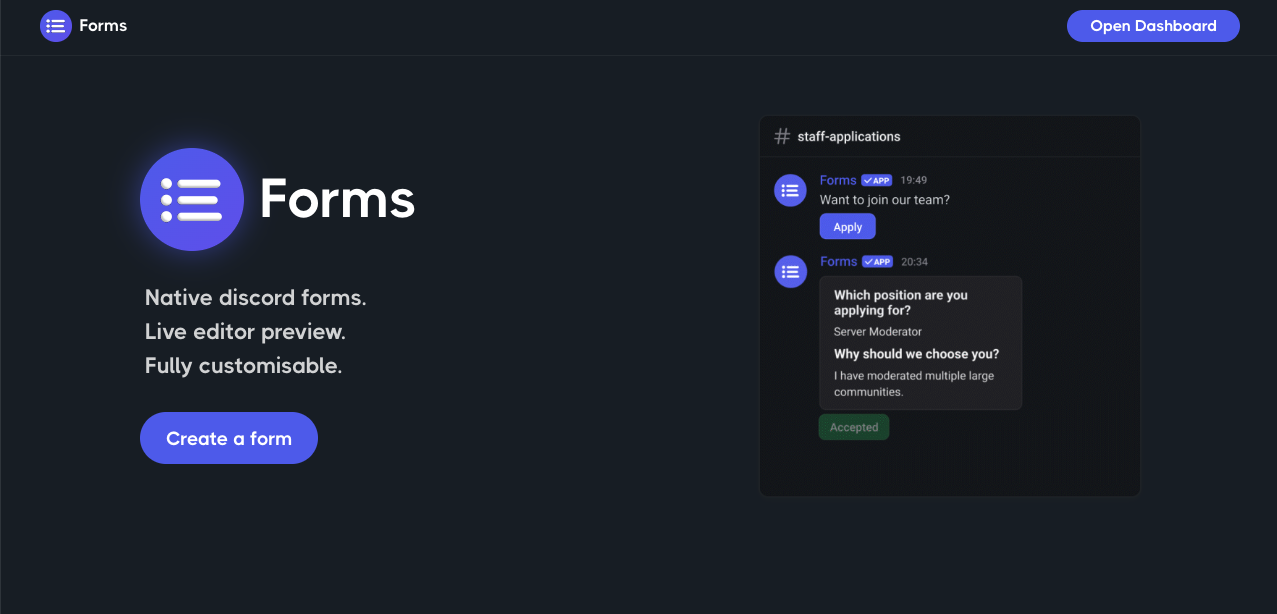
Kill the external link. Every time you force a user to leave Discord for a Google Form, you lose conversion. The elite server meta has shifted to Forms, a bot that leverages Discord’s native Modals API to keep recruitment, feedback, and moderation entirely in-app.
- The Proposition: A frictionless, popup-based input system that lives inside your chat channels.
- The Impact: Zero-click departure. Users apply, report, or register without ever opening a browser.
- The ROI: Higher submission rates, automated identity verification, and “One-Click” administrative workflows (Approve/Reject).
1. The Native Revolution: Why Google Forms is Obsolete
In the legacy era, bots used clunky DM conversations (“Question 1… wait for reply… Question 2”). Today, Forms utilizes Modals—sleek, dark-mode-compatible popup windows.
- Identity Assurance: Google Forms requires users to manually type their Discord ID (prone to typos or spoofing). Forms captures the user’s ID, Account Age, and Avatar hash automatically upon submission.
- The Workflow Engine: It isn’t just about data collection; it’s about execution. When a user submits an application, admins receive a “Ticket Card” with buttons.
- Approve: Instantly grants a role (e.g.,
@ClanMember) and sends a congratulatory DM. - Reject: Sends a pre-written, polite declination.
- Approve: Instantly grants a role (e.g.,
2. Core Functionality Arsenal
The system operates on a “Build $\rightarrow$ Deploy $\rightarrow$ Process” triad.
The Modal Interface (User Side)
Unlike external sites that break immersion, the Modal appears instantly over the chat interface. It feels like a native part of the software.
- Note: Current API limits restrict Modals to 5 input fields per page. For massive surveys, chaining pages or external links is still necessary, but for Staff Apps or Ban Appeals, Modals are king.
The Dashboard (Admin Side)
You don’t configure complex JSON files. You use a visual Web Dashboard to drag-and-drop text fields, paragraph blocks, and multiple-choice dropdowns.
3. The Command Codex
Manage your bureaucracy with these essential CLI tools.
| Command | Usage | Tier | Impact |
| Control Center | /dashboard | Admin | Generates a secure link to the web editor. |
| Genesis | /form create | Basic | Initiates the form wizard directly in Discord. |
| Deployment | /form post | Critical | Renders the “Apply Here” button in a channel. |
| Data Mining | /export | Analyst | Dumps all submission data into a CSV file. |
| Audit | /profile | User | Checks personal submission history. |
4. Onboarding Odyssey: The Setup Protocol
Deploying a “Staff Application” system in 4 moves.
- Access the Bridge: Invite the bot and run
/dashboard. Log in via Discord OAuth. - Architect the Form:
- Create a “New Form.”
- Add fields: “Why do you want to join?” (Paragraph), “Timezone” (Short Text).
- Pro Tip: Use Dropdowns for “Age Range” to standardize data.
- Program the Logic (Actions):
- Navigate to the Actions tab.
- On Accept: Trigger “Add Role:
@Moderator-In-Training” and “Send DM: Welcome to the team.” - On Reject: Trigger “Send DM: Thank you for your interest, but…”
- The Launch:
- Go to your
#recruitmentchannel. - Run
/form post id:[FormID]. - The bot posts a permanent embed with a green [Apply Now] button.
- Go to your
FAQ Vortex: Tactical Solutions
Q: Can banned users submit “Unban Requests” if they can’t see the server?
A: Yes. Forms supports Web-Link Mode. You can generate a URL for your form (hosted on the bot’s domain) and place it in your “You have been banned” DM notification. Banned users can fill it out via browser, and it still routes to your staff channel.
Q: Is anonymous feedback possible?
A: Absolutely. Toggle “Anonymous Mode” in the dashboard. The bot will deliver the submission to your admin channel without the user’s name or avatar, making it perfect for an internal “Suggestion Box” or HR complaints.
Q: Can I sync this with Google Sheets?
A: Natively, the bot offers /export for CSV dumps. For real-time sync, you generally need a Premium tier or a Webhook integration (Zapier) to pipe the JSON data directly into a spreadsheet row upon submission.
Zenith CTA
Automate your HR department. Stop chasing users for their User IDs and manually assigning roles. Switch the button to green, deploy a Form, and let the API handle the paperwork.