 By Discord Media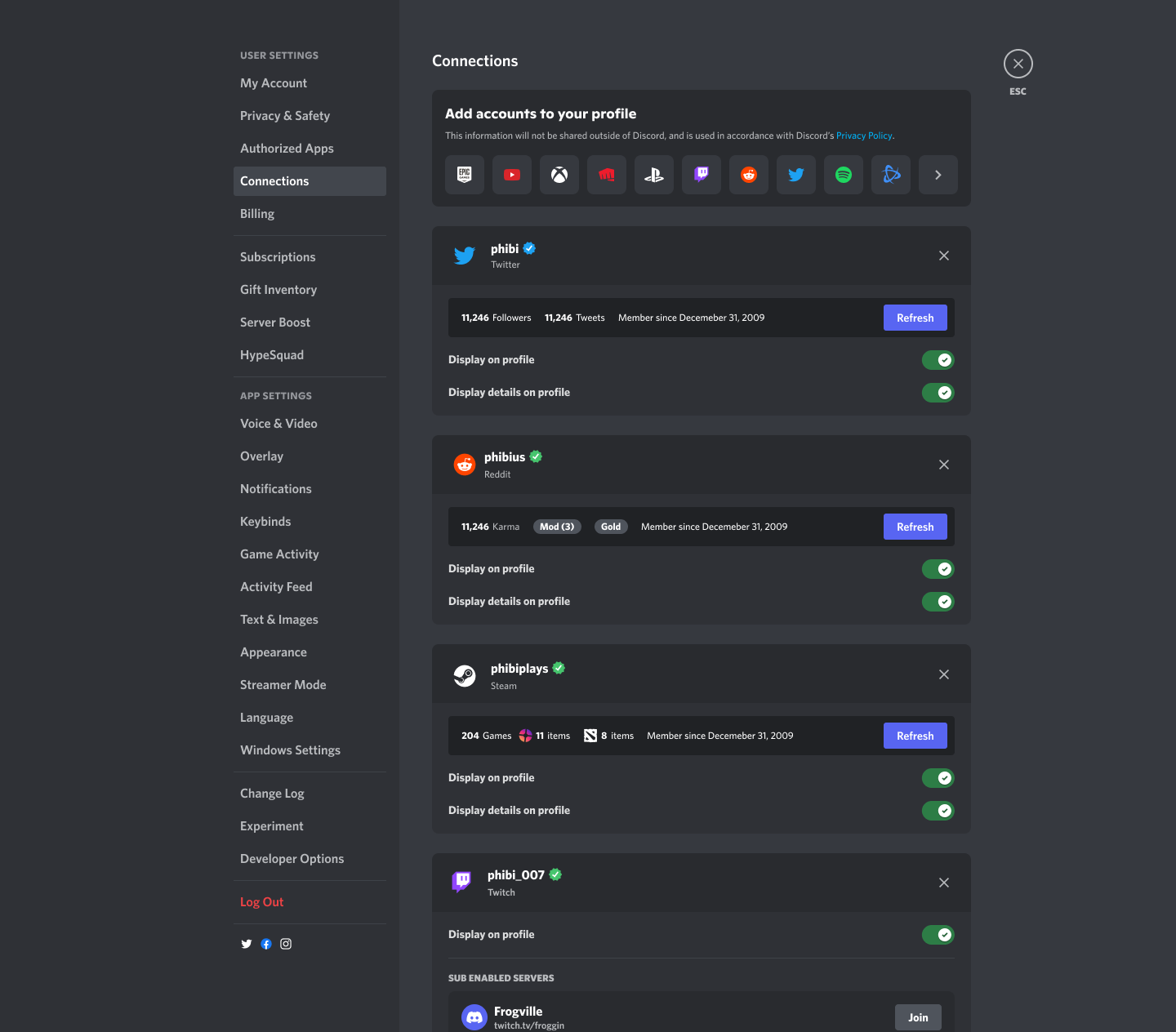
Anonymity is a double-edged sword. While it protects privacy, it also opens the floodgates for bots, smurfs, and bad actors. In 2025, the “Trust, but Verify” doctrine is essential for high-value communities.
Linked Roles are the cryptographic handshake of the modern Discord server. By bridging external identities (Steam, Reddit, X, PayPal) with internal permissions, you create a verification layer that is automated, secure, and friction-free. This is your guide to weaponizing metadata to build a safer, more exclusive ecosystem.
1. The Mechanic: Why “Connections” Matter
“Connections” are no longer just about showing off what song you are listening to on Spotify. They are now Trust Signals.
- For Users: It validates your digital footprint. connecting a 10-year-old Steam account proves you are a real gamer, not a burner bot.
- For Admins: It allows for Automated Gatekeeping. You can lock channels behind specific criteria (e.g., “Must have a Reddit account over 30 days old” or “Must be a Twitch Subscriber”).
2. Implementation Protocol: The Setup
There are two sides to this operation: the User (Client) and the Architect (Admin).
Phase A: The User Protocol (Connecting Identity)
To gain access to gated roles, you must first verify your external accounts.
- Navigate to User Settings (Gear Icon) > Connections.
- Select the platform logo you wish to bridge (e.g., Steam, TikTok, eBay).
- Authorize the OAuth handshake in the browser pop-up.
- Toggle “Display on Profile” to ON if you want social proof, or OFF if you only want the backend verification.
Phase B: The Admin Protocol (Configuring the Gate)
This is how you automate your moderation.
- Go to Server Settings > Roles.
- Create a new role (e.g., “Verified Gamer”) or select an existing one.
- Click the Links tab within the role editor.
- Add Requirement: Choose a connection type (e.g., Steam).
- Set Parameters: Define the logic (e.g., “Must own [Specific Game]” or “Account age > 100 days”).
- Result: Users can now self-assign this role only if they meet the criteria.
3. The Insight Matrix: Role Architecture
| Feature | Standard Role | Linked Role | Impact |
| Assignment | Manual / Bot | Self-Service (Verified) | High Efficiency |
| Security | Low (Anyone can click) | High (Requires OAuth) | Anti-Bot |
| Use Case | Color / Hierarchy | Gatekeeping / Trust | Community Quality |
| Maintenance | High (Mod Admin) | Zero (Automated) | Scalability |
4. Friction Annihilation: Troubleshooting
- The “Connection Failed” Loop: If a connection errors out, disconnect the app from both Discord and the third-party website’s “Authorized Apps” setting, then reconnect.
- Privacy Concerns: Admins cannot see your passwords or private data. They can only see the metadata you explicitly authorize (e.g., “Is this user a subscriber?”).
- Role Loss: If you disconnect an account, you instantly lose the associated Linked Role and access to any channels locked behind it.
5. FAQ Vortex: Tactical Intelligence
Q: What external accounts can I connect?
A: The list is extensive: Steam, X (Twitter), Reddit, YouTube, Twitch, Spotify, Xbox, PlayStation, Battle.net, Epic Games, GitHub, and even PayPal (for marketplace verification).
Q: If I disconnect my Steam account, do I lose my “Gamer” role?
A: Yes. The system checks for the connection continuously. Removing the link breaks the chain of trust, and the role (along with channel access) is revoked automatically.
Q: Can I use this to stop ban evasion?
A: Absolutely. By requiring a phone-verified account or a specialized connection (like a paid Crunchyroll account), you make it financially or logistically painful for trolls to create alt accounts.
Build the Wall.
Stop manually vetting members. Configure a Linked Role today that requires a verified phone number or a legacy Reddit account. Raise the drawbridge against bots and elevate the quality of your tribe.