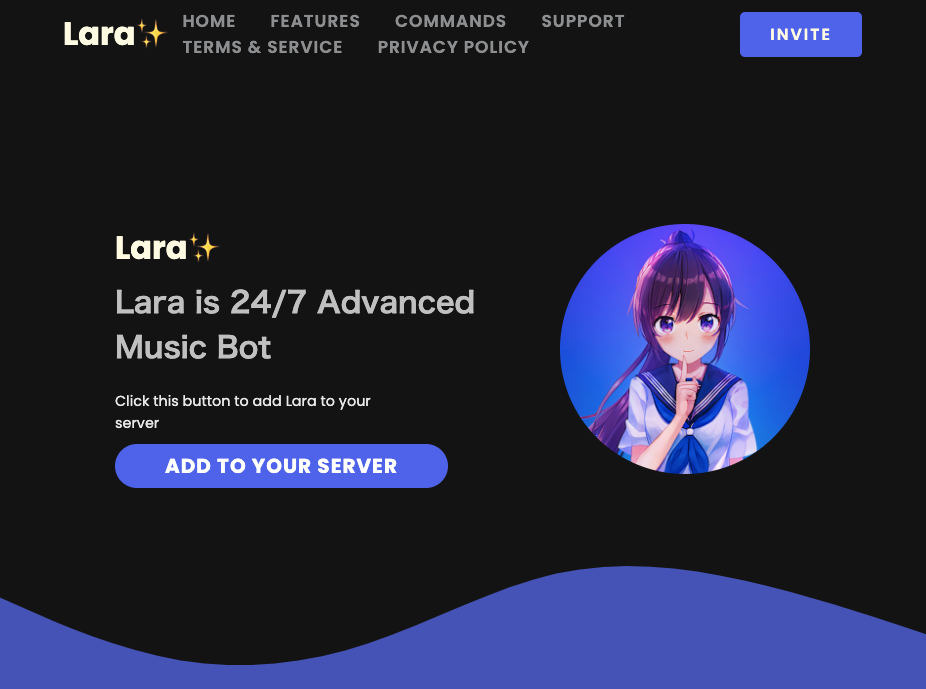
Introduction
Lara Bot is a high-performance Discord music bot designed for 24/7/365 continuous playback. Its standout features are support for diverse sources like Spotify and Apple Music, plus unique built-in audio filters and an equalizer, making it the perfect BGM (background music) bot for your server.
What is Lara Bot? And Why Choose It?
Lara Bot is your server’s dedicated 24/7 DJ. While many music bots will automatically leave a voice channel after a period of inactivity or when everyone else has left, Lara Bot is built to stay and keep playing music 24/7.
This makes it the ideal solution for creating a constant, welcoming vibe in community hubs, game lobbies, or study/work channels.
📊 Lara Bot: The Pros vs. Cons (2025)
For quick comparisons, here’s a simple breakdown of Lara Bot’s advantages and disadvantages.
| Pros | Cons |
| ✅ True 24/7 Playback (Free) | ❌ Support team is smaller than mega-bots |
| ✅ Unique Audio Filters (e.g., Bassboost) | ❌ So many features, it might be overkill for some |
| ✅ Built-in Equalizer (EQ) | ❌ Can be tricky if server permissions are complex |
| ✅ High-Quality, Stable Audio | ❌ May require frequent voting to use |
| ✅ Supports Spotify, Apple Music, etc. |
“As of 2025, many free music bots are hitting users with restrictions. Lara Bot has managed to stand out by offering two of the most-requested features—24/7 playback and audio filters—for free, setting it apart from other popular bots like Jockie Music or Uzox. However, users should be aware of its vote-to-play model.” (Source: CommunityOne, 2025 Bot Reviews)
【2-Step Guide】How to Add Lara Bot to Your Server
Getting Lara Bot running is super simple. If you have “Administrator” permissions on your server, you can be done in under two minutes.
- Click the Lara Bot Invite Link
- Go to a trusted bot list site (like
top.gg) and find Lara Bot’s official page. Click the “Invite” button. - [Lara Bot Invite Page (top.gg)]
https://top.gg/bot/944016826751389717(Link based on search data)
- Go to a trusted bot list site (like
- Select Your Server and Authorize
- From the dropdown menu, choose the server you want to add Lara Bot to.
- Click “Authorize.” You’ll see a list of permissions the bot needs (like “Connect to Voice,” “Speak,” etc.). Make sure these are checked.
- That’s it! You should now see Lara Bot in your server’s member list.
How to Use Lara Bot: Essential Commands
You control Lara Bot by typing commands in a text channel. The default prefix (the symbol at the start) is - (a hyphen).
- Note: Some servers may be set up to use modern
/(slash commands). If-doesn’t work, try/play.
🎵 Basic Music Commands
| Command | Description |
-play [song name or URL] | Plays music or adds it to the queue. Example: -play lofi beats |
-stop | Stops the music and clears the entire queue. |
-skip | Skips the current song and plays the next one. |
-pause | Pauses the current song. |
-resume | Resumes the paused song. |
🔉 Other Useful Commands
| Command | Description |
-vote | (Important) Shows the link to vote for the bot. |
-volume [number] | Changes the volume (e.g., -volume 50). |
-queue | Shows the current song list (the queue). |
-nowplaying | Shows info about the song currently playing. |
-join | Makes the bot join your current voice channel. |
-leave | Makes the bot leave the voice channel. |
-help | Displays the full list of all commands. |
A Note on Voting (Vote-to-Play)
You may notice that when you try to use Lara Bot, it sometimes asks you to vote for it first. This is a common model for free bots known as “Vote-to-Play”.
- What it is: To use certain features (like playing music), Lara Bot may require you to vote for it on a bot list site like
top.gg. - How it works: Use the
-votecommand to get your unique voting link. You typically need to vote once every 12 or 24 hours to continue using the bot’s core functions. - Why it exists: This system helps the bot stay free. Voting increases its visibility on bot lists, which helps it grow and supports the developers’ operational costs. While it can be a minor inconvenience, it’s the trade-off for its free, high-quality 24/7 service.
For Gamers & Creators: Advanced Features
Once you have voting sorted, you can unlock Lara Bot’s real power.
1. What is 24/7 Mode?
This is Lara Bot’s core feature. Unlike other bots, you don’t usually need a special command like -24/7. Lara Bot is in 24/7 mode by default.
As long as there are songs in the queue (and you have voted), it will keep playing, even if all human users leave the voice channel. It creates a persistent radio station for your community.
2. Audio Filters and Equalizer
This is what sets Lara Bot apart. You can change the sound of the music.
- Audio Filters: Use the
-filtercommand to apply effects.bassboost: Cranks up the bass for more powerful sound (great for gaming or EDM).nightcore: Speeds up the song and increases the pitch.vaporwave: Slows the song down for a chilled-out vibe.
- Equalizer (EQ): Use the
-equalizercommand to fine-tune specific frequencies (bass, mids, treble) to get the perfect sound profile.
Frequently Asked Questions (FAQ)
Q. I added Lara Bot, but it won’t play. It just tells me to vote.
A. This is the “Vote-to-Play” system. Type -vote in your text channel, follow the link to top.gg (or a similar site), and vote for Lara Bot. After you’ve voted, try the -play command again. You may need to do this once every 12 hours.
Q. I voted, but I still can’t hear any sound. What’s wrong?
A. If you’ve already voted, check these three common issues:
- Your Personal Volume: Right-click Lara Bot’s name in the voice channel. Make sure the “User Volume” slider isn’t at zero or muted.
- Bot Permissions: Go to “Server Settings” > “Roles.” Make sure the Lara Bot role has “Connect” and “Speak” permissions in your voice channel.
- Server Region: If the sound is choppy, ask an admin to go to “Server Settings” > “Overview” and try changing the “Server Region” to one closer to you (e.g., “US West” or “US East”).
Q. Is Lara Bot safe? Are there age restrictions?
A. Yes, Lara Bot is considered safe. It is verified on major bot lists like top.gg, meaning it’s used by thousands of servers. Like Discord itself, the bot is intended for users 13 years of age and older.
Conclusion: Fill Your Server with Music!
Lara Bot is the perfect 2025 choice for any server admin who wants non-stop 24/7 background music and deep control over their audio.
While it’s simple enough for any beginner to use with just the -play command, its advanced filters and EQ settings make it a powerful tool. Be prepared for the vote-to-play requirement, which is the small price for its powerful, free service.