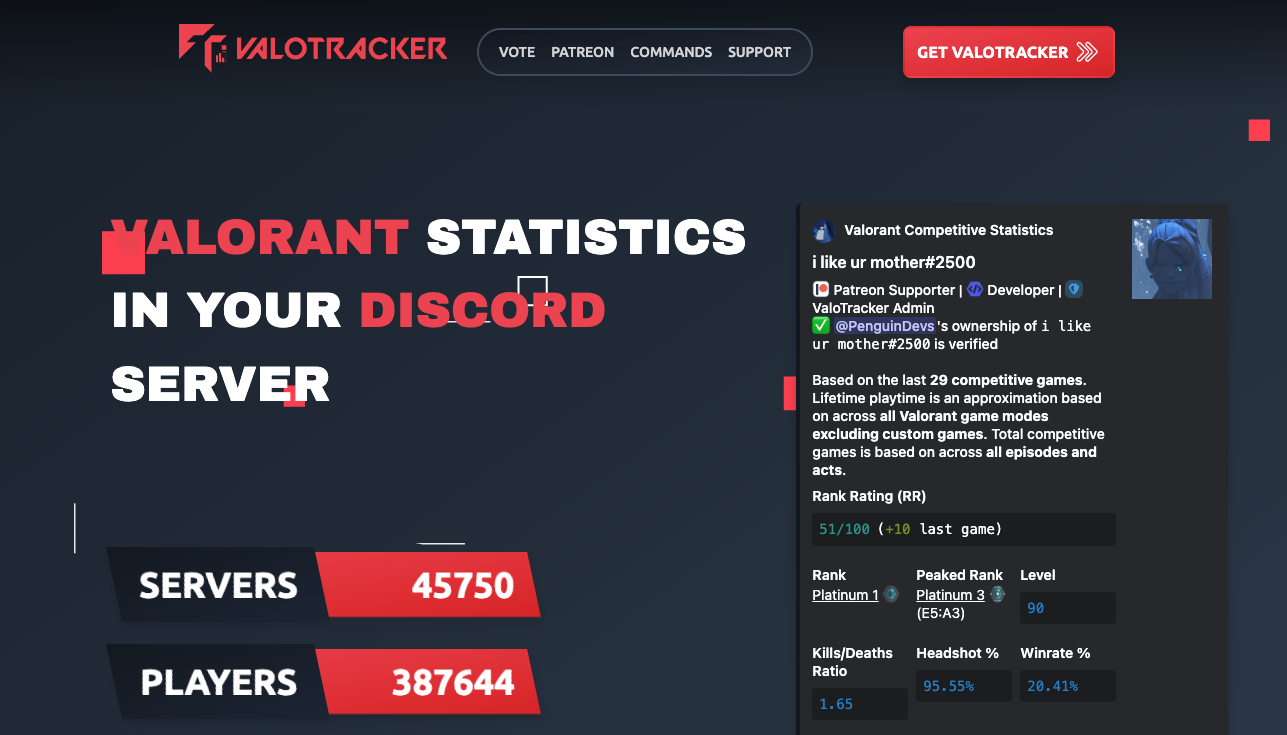
Valo Tracker (by Tracker.gg) is the essential Discord bot for displaying Valorant stats, ranks, and match history instantly.
In the competitive world of FPS gaming, simply stating “I’m good” isn’t enough. Valo Tracker generates beautiful, data-rich image cards showing your K/D (Kill/Death ratio), Win Rate, and Headshot percentage. For many communities, using this bot to display your profile has replaced traditional introductions—it is your Gamer ID Card.
🌏 Why Valo Tracker? (The Singapore Server Culture)
This bot is particularly vital in the Southeast Asia (SEA) region, where the Singapore server acts as a melting pot for highly competitive players from Malaysia, Indonesia, Thailand, and Japan.
1. The “Proof of Strength”
In a meritocratic environment where rank is everything, Valo Tracker serves as an objective measure of skill. It cuts through the noise of self-proclaimed “smurfs” and shows the cold, hard data.
2. LFG (Looking For Group) Trust Score
When forming a party on Discord, players demand proof. Using Valo Tracker to flash your current rank (e.g., “Ascendant 2”) and recent match history acts as a Credit Score. If your stats are green, you get the invite.
📊 Key Features & Mechanics
Valo Tracker pulls data directly from Riot Games’ official API.
- Stat Cards: Generates sleek images displaying Rank, Win %, and Main Agents.
- Match History: Shows exactly how you performed in your last game (Kills, Score, ACS).
- Crosshairs: Quickly look up and copy the crosshair settings of pro players.
- Live Tracking: (Requires PC App) Provides real-time match info.
💻 Essential Command List
Valo Tracker uses Slash Commands (/) for all operations.
🔫 Stats & Matches
| Command | Description |
| /stats | The Main Command. Displays stats for you or a specified user. |
| /match | Shows details of the most recent match played. |
ℹ️ Info & Tools
| Command | Description |
| /crosshair [Pro Name] | Shows the crosshair code of a pro player (e.g., /crosshair TenZ). |
| /agent [Name] | Displays ability info for an agent. |
| /map [Name] | Shows map layout and callouts. |
⚙️ Setup
| Command | Description |
| /link | CRITICAL. Links your Riot Account to your Discord account. |
| /unlink | Disconnects your account. |
🚀 Setup Tutorial: How to Link & Make Stats Public
90% of beginners fail here. You must link your account AND set it to public visibility.
Step 1: Invite the Bot
Invite “Tracker.gg” from their official site or Top.gg.
Step 2: Link Riot Account
- Type /link in Discord.
- Click the login button provided by the bot.
- Sign in with your Riot ID (the one you use for Valorant) and authorize the connection.
- Success message: “Account Linked!”
Step 3: Set Profile to “Public” (Crucial!)
If you get a “Private Profile” error, follow this:
- Go to the Tracker.gg website.
- Sign in with your Riot Account.
- Navigate to your profile page on the site.
- You may see a banner asking to “Make Public”. Click it.
- Note: Riot’s API defaults to private. You must explicitly allow Tracker.gg to show your stats to others.
❓ FAQ: Troubleshooting
Q: I get a “Profile is Private” error.
A: See Step 3 above. You must sign in to the Tracker.gg website (not just the bot) and enable public viewing. This is a privacy requirement by Riot.
Q: My rank updated in-game but not on the bot.
A: APIs have a delay. It may take 10–30 minutes for the bot to reflect a rank up. Playing another match or hitting “Refresh” on your Tracker.gg web profile can force an update.
Q: What is my Riot ID Tag?
A: Your name includes a tagline, like Name#NA1 or Name#1234. You can find this in the Valorant friend list menu. You generally need to type the full Name#Tag when searching for others.
Q: Can I see enemy ranks during a match?
A: Generally, no. If you try to /stats an enemy, and their profile is Private (which is default), the bot cannot show their data.
Q: How do I copy a Pro Crosshair?
A: Type /crosshair [PlayerName]. The bot will give you a Code (e.g., 0;P;c;1;h;0…). Copy this text, go to Valorant Settings > Crosshair > Import Profile Code, and paste it.
🌟 Admin Tips: Auto-Roles
The best way to use Valo Tracker in a community is for Rank Roles.
- Role Setup: Create roles like 💎 Ascendant, 💠 Diamond, 🥇 Gold.
- Verification: Some bots or integrations allow auto-assigning these roles based on the linked Tracker.gg profile.
- Result: When someone says “LF2M Gold Ranked,” you can instantly see if the people replying are actually Gold rank by the color of their name.
Next Step for You: Go to your server, type /crosshair TenZ, and see if you can improve your aim with a pro layout!