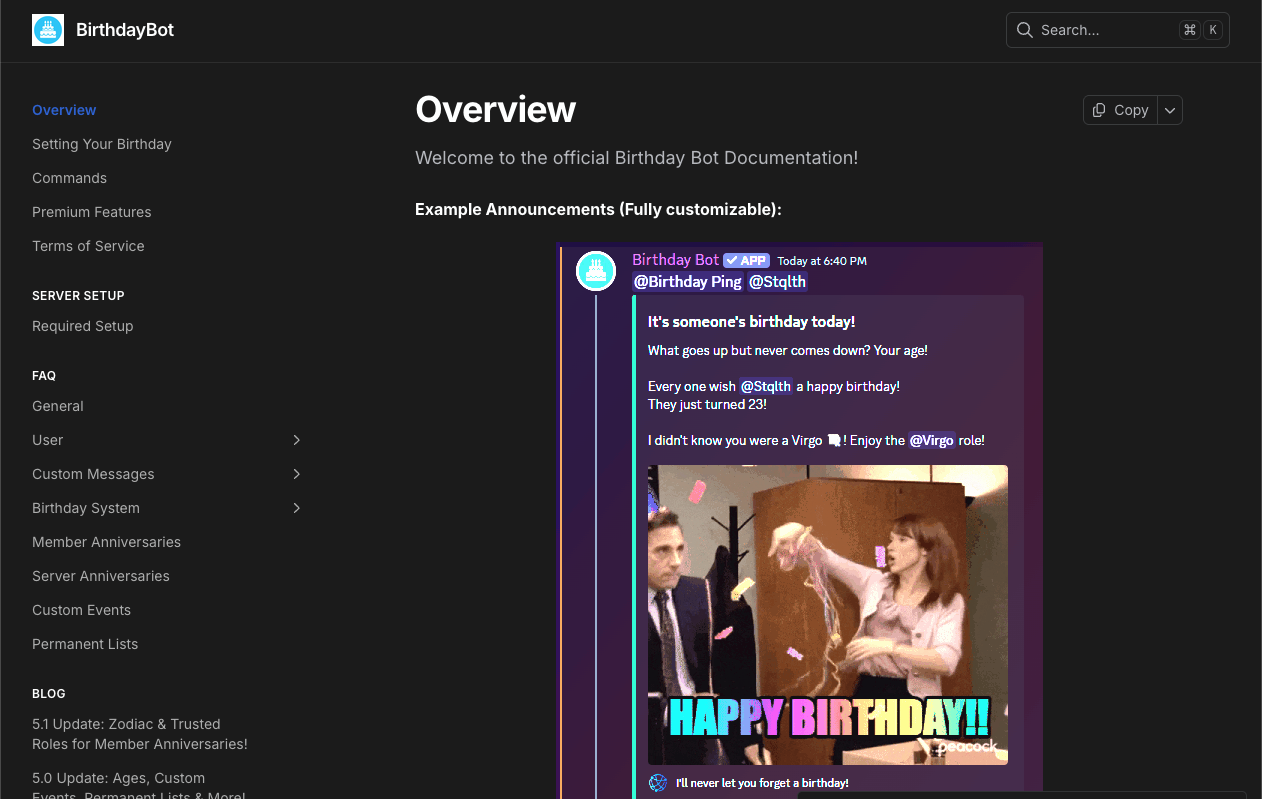
Birthday Bot is an essential utility bot that tracks member birthdays and automatically posts celebration messages or assigns special roles when the big day arrives.
Its standout feature is full Timezone Support.
Even in a server with members scattered across the globe, the bot ensures everyone is celebrated precisely at their local midnight. This allows large communities to maintain a personal, warm touch for every member.
🎂 Why Birthday Bot? (History & Features)
Developed by Scott Bucher, this bot started as an open-source project. Its transparency and reliability have made it a staple in countless servers.
1. The Magic of Timezones
Discord is a global platform. Midnight in Tokyo is 3 PM the previous day in London. Birthday Bot allows each user to register their specific timezone, ensuring the bot celebrates them at the correct moment.
2. The Birthday Role
For 24 hours on their birthday, the bot can assign a special role to the user.
This can change their name color or move them to the top of the member list, signaling to the entire server: “Today is this person’s special day!”
⚙️ Key Features
Simple yet comprehensive, Birthday Bot covers all community needs.
🎉 Custom Messages
Instead of a generic “Happy Birthday,” you can set custom messages like: Happy Birthday {User}! Hope you have a great one turning {Age}! using variables.
🛡️ Trusted Role
In massive servers, a birthday notification every day can become spam. By setting a “Trusted Role,” you can filter the bot to only celebrate active or veteran members.
🔒 Privacy Protection
For users who want to hide their age or birth year, the bot allows registering only the month and day, or toggling off age display entirely.
💻 Essential Command List
Birthday Bot uses Slash Commands (/) as standard.
🎂 For Users (Personal Setup)
| Command | Description |
| /set | Basic Command. Registers your birthday and timezone. |
| /view | Checks your or another user’s birthday data. |
| /next | Shows who has the next upcoming birthday. |
| /map | Displays a timezone map to help you find your zone. |
🛠 For Admins (Server Setup)
| Command | Description |
| /setup | Crucial. Starts the interactive setup wizard. |
| /trusted-role | Limits celebrations to users with a specific role. |
| /test | Sends a test message to ensure settings are correct. |
| /config | Modifies specific settings individually. |
🚀 Setup Tutorial: From Invite to Celebration
Warning: The most common issue is Role Hierarchy. Please pay attention to Step 3.
Step 1: Invite & Setup
- Invite Birthday Bot from the official site or App Directory.
- Type /setup.
- Follow the prompts to set the Default Timezone (e.g., America/New_York), Announcement Channel, and Birthday Role.
Step 2: Register Birthdays (Everyone)
Instruct your members to do the following:
- Type /set.
- Month/Day: Enter the date (e.g., 12 05).
- Timezone: Select your region (e.g., America/Los_Angeles).
- Without this, the celebration time will be wrong due to time differences.
Step 3: Fix Role Hierarchy (CRITICAL!)
If the Birthday Role isn’t being assigned, this is 99% the cause.
- Go to Server Settings > Roles.
- Drag the Birthday Bot role (the bot’s own role) ABOVE the Birthday Role you want it to give.
- Reason: Discord prevents bots from assigning roles higher than their own.
Step 4: Test It
Run /test to confirm the celebration message appears correctly in the designated channel.
❓ FAQ: Troubleshooting
Q. No message or role appeared.
A. Check Timezone or Role Hierarchy.
Check your user settings (/view) to ensure the timezone is correct, and verify in Server Settings that the bot’s role is physically above the Birthday Role.
Q. I want to hide my age.
A. Yes, you can.
When using /set, skip the Year field, or go to /user settings after registering and toggle “Show Age” to OFF.
Q. Can it celebrate Server Anniversaries?
A. Yes.
It can celebrate the server’s creation date or a member’s join anniversary. Configure this via /config.
Q. What is Premium?
A. Customization.
Premium unlocks multiple message variations (randomized) and deeper customization for embed colors and images.
🌟 Admin Tip: The Community Glue
Birthday Bot is more than a calendar.
For members, having their birthday remembered and celebrated significantly boosts their sense of belonging to the community.
- Tip: Use the {User} mention variable in your message settings. A warm, personalized “Happy Birthday!” is one of the strongest retention tools available.
Next Step: Invite Birthday Bot now and run /set to register your own birthday so you’re ready for the next celebration!