Introduction: What is Dyno Bot?
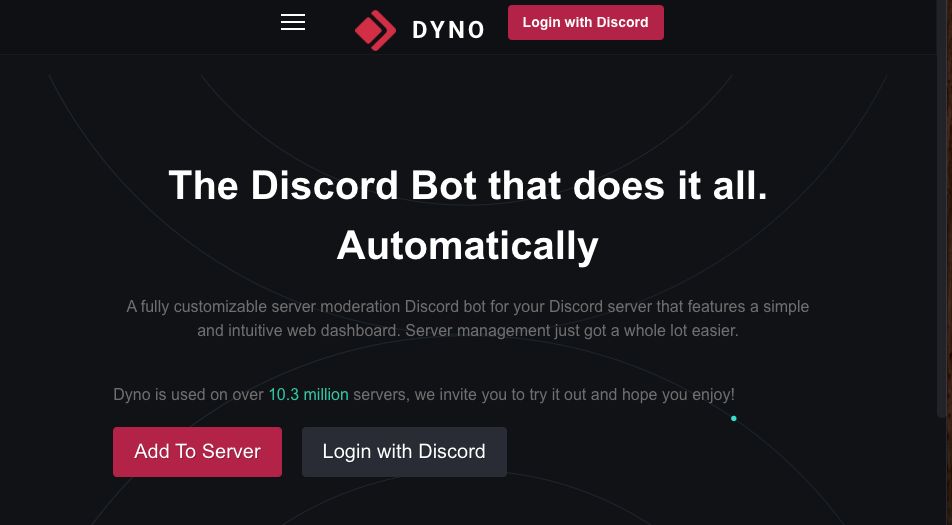
Dyno is one of the most popular, all-in-one Discord bots, trusted by over 10.3 million servers. It is a fully-featured, web-based bot designed to handle server management, moderation, and community engagement.
Its main strength is its powerful web dashboard, which allows even beginners to set up complex features like moderation, anti-spam, autoroles, and custom commands without needing to memorize a single command.
Getting Started: A 3-Step Guide
Getting Dyno up and running on your server is incredibly simple.
- Invite Dyno to Your Server
- Go to the official website at
dyno.gg. - Click “Login with Discord” and authorize the bot for your server.
- Go to the official website at
- Access Your Web Dashboard
- Once invited, go to
dyno.gg/manageand select your server. This is where you will control 99% of Dyno’s settings.
- Once invited, go to
- Check Your Prefix
- The default prefix for commands is
?. You can change this at any time in your dashboard (e.g., to!).
- The default prefix for commands is
Basic “Must-Try” Commands
While the dashboard is recommended, you can test if Dyno is working with these simple commands.
| Command | Description |
?help | Displays a list of all commands. |
?ping | Checks the bot’s response time (latency). |
?cat | Shows a random (and cute) cat picture. |
?rps [rock/paper/scissors] | Play a game of Rock Paper Scissors with the bot! |
?flip | Flips a coin. |
?dadjoke | Tells a wonderfully bad dad joke. |
The Power of Dyno: The Web Dashboard
Dyno’s biggest feature is its web-based dashboard. This Graphical User Interface (GUI) lets you enable, disable, and configure all of the bot’s “modules” with simple toggles and text boxes.
This means you don’t need to memorize commands for complex tasks like setting up moderation or welcome messages.
Key Features & Modules Explained
Here are the most popular modules you can manage from the dashboard.
🛡️ Moderation & Auto-Mod
This is Dyno’s most powerful feature.
- Mod Log: Records all moderation actions (bans, kicks, mutes, warnings) in a private channel, showing who did what and why.
- Mute/Ban: Allows for timed mutes and bans (e.g.,
?mute @User 1h spamming). - Auto-Moderation: Automatically detects and deletes spam, advertisements (like Discord invites), bad links, and mass mentions.
- Warnings: Lets moderators issue formal warnings to users. You can set up auto-punishments, like a mute or kick, after a certain number of warnings.
⚙️ Automation & Utility
These modules help your server run itself.
- Autoroles: Instantly assigns a “Member” role (or any other role) to new users the moment they join.
- Joinable Ranks: Lets you create “self-assignable roles.” Users can type a command (e.g.,
?rank Valorant) to get a role, without needing a moderator. - Welcome Messages: Automatically sends a custom welcome (or leave) message when a new user joins.
- Custom Commands: Create your own simple text or embed commands for your server (e.g.,
?rulesor?socials). - Ticketing Plugin: A premium feature that creates a “ticket” system for users to request help from your staff team privately.
- Giveaways: Easily start and manage giveaways within your server.
🎉 Entertainment & Social
- Leveling System: A premium feature that allows members to gain XP and “level up” as they chat, with customizable rank cards.
- AFK Status: Set an “Away From Keyboard” message that auto-replies if someone @mentions you.
- Reminders: Ask Dyno to remind you (or a channel) of something in the future.
- Birthday Notifications: A premium feature that celebrates member birthdays.
Dyno Premium: Is it Worth It?
While Dyno’s free version is extremely powerful, the Premium plan unlocks advanced features for larger or more professional communities.
Key Premium Benefits:
- Higher Uptime & Speed: Your bot gets priority, making it faster and more reliable.
- Auto-Purge: Automatically clean messages from a channel (e.g., delete all messages in
#bot-commandsevery 24 hours). - Advanced Integrations: Get notifications for YouTube, Twitch, Kick, and Reddit.
- Leveling System: Unlocks the full XP and leveling system.
- Custom Bot: Change Dyno’s name, avatar, and status to match your server’s brand.
For most small to medium-sized servers, the free version is more than enough.
Troubleshooting & FAQ
Q: Is Dyno free? What’s the price?
A: Yes, Dyno is free. All major features like moderation, autoroles, and custom commands are free. The optional Premium plan adds advanced features and costs a few dollars a month.
Q: What is the prefix? How do I change it?
A: The default prefix is ?. You can change this at any time in your web dashboard. If you forget it, you can type @Dyno prefix to have the bot tell you.
Q: Why isn’t Dyno responding to commands?
A: Check these three things:
- Prefix: Are you using the correct prefix (
?)? - Permissions: Does Dyno have the necessary permissions (like “Send Messages”) in that channel?
- Dashboard: Is the command or module enabled in your web dashboard?
Q: Why can’t Dyno assign a role (Autorole / Rank)?
A: This is the most common issue. You must go to Server Settings > Roles and drag the “Dyno” role above the roles you want it to manage. A bot cannot assign or manage a role that is higher than its own.
Q: How do I set up permissions for commands?
A: In the web dashboard, you can go to the “Commands” module and set permissions for any command. You can restrict commands to certain “Manager” or “Moderator” roles.
Qm: What is the difference between Admin, Manager, and Mod?
A:
- Admin: A user with the “Administrator” permission in Discord.
- Manager: A user with a role you have designated as a “Manager” in the Dyno dashboard. They can access the dashboard.
- Moderator: A user with a role you have designated as a “Moderator” in the Dyno dashboard. They can use moderation commands (like
?mute) but cannot access the dashboard.
Conclusion
Dyno is a top-tier, all-in-one bot that can dramatically streamline your server management. Its powerful web dashboard makes it accessible to beginners, while its deep moderation and automation modules provide all the tools an advanced admin needs.
If you’re looking to automate roles, secure your server from spam, and engage your community, Dyno is one of the best tools for the job.