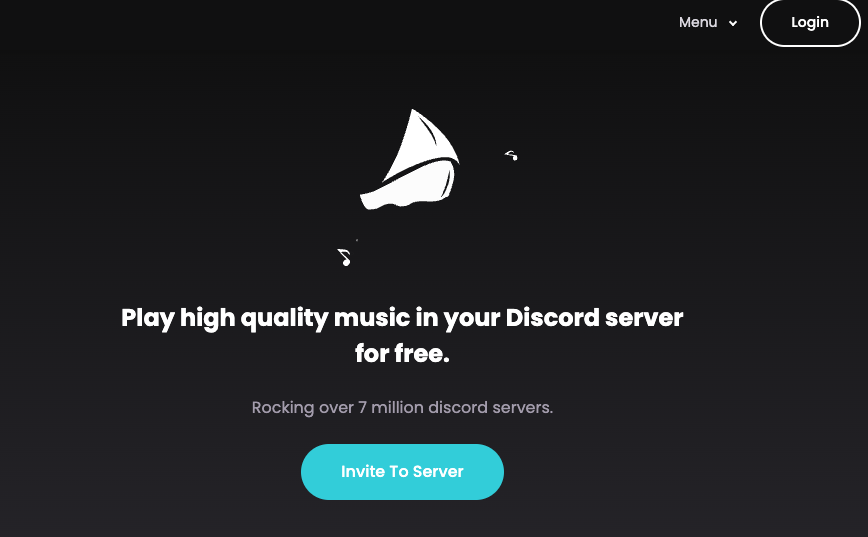
Introduction: What is FredBoat?
FredBoat is one of the most popular and reliable free music bots for Discord, trusted by over 7 million servers. It’s known for its high-quality audio, stability, and support for multiple sources, including Soundcloud, Bandcamp, YouTube, Spotify, and Twitch.
If you’re looking for a dependable, high-quality, and free music bot, FredBoat is one of the best choices available.
🤖 Key Features of FredBoat
- 🎧 High-Quality Audio: Delivers crisp, powerful sound.
- 🚀 High Stability: 24/7 uptime ensures your music never stops.
- 💰 Completely Free Core Features: All essential functions are 100% free, with no paywalls for basic use.
- 🎼 Multi-Source Support: Plays music from Soundcloud, Bandcamp, Twitch, Deezer, Vimeo, Dailymotion, and more.
- 🎚️ Full DJ & Playlist Control: Over 40 commands give you complete control over your music, including queues, playlists, and permissions.
How to Add FredBoat to Your Server (3-Step Guide)
Getting FredBoat is incredibly simple.
- Click the Invite Link: Go to the official FredBoat website (
https://fredboat.com/) and click “Add to Discord.” - Select Your Server: Log in and choose the server you want to add the bot to from the dropdown menu.
- Click “Authorize”: Grant the bot the necessary permissions to read messages, join voice channels, and speak.
That’s it! FredBoat is now on your server and ready to use.
⌨️ FredBoat Command List
FredBoat uses modern slash commands (/). Here are the most essential commands, categorized for easy reference.
🎶 Basic Music Commands
| Command | Description |
/play <query/URL> | Plays a song from a link or search query. |
/list | Displays the current queue of songs. |
/nowplaying | Shows what song is currently playing. |
/stop | Stops the music, clears the queue, and leaves the channel. |
/pause | Pauses the current song. Run again to unpause. |
/join | Makes the bot join your current voice channel. |
/leave | Makes the bot leave your current voice channel. |
/destroy | Resets the player and clears the queue. |
⏩ Skipping & Playback Control
| Command | Description |
/skip | Skips the current song. |
/voteskip | Starts a vote to skip the current song. |
/restart | Restarts the currently playing song from the beginning. |
/history | Shows a list of recently played songs. |
🔀 Queue Mode Commands
| Command | Description |
/repeat all | Loops the entire queue. |
/repeat single | Loops only the current song. |
/repeat off | Turns off all looping. |
/shuffle on | Shuffles the current queue. |
/reshuffle | Shuffles the queue again. |
🔉 Seek, Volume & History
| Command | Description |
/seek <time> | Jumps to a specific time in the song (e.g., /seek 1m30s). |
/forward <time> | Fast-forwards the song by a set amount (e.g., /forward 10s). |
/rewind <time> | Rewinds the song by a set amount. |
/volume <percentage> | Sets the volume (0-150%). |
🔍 Search Commands
| Command | Description |
/search soundcloud <query> | Searches SoundCloud and returns the top results. |
**/search bandcamp <query> | Searches Bandcamp. |
/search deezer <query> | Searches Deezer. |
/search smart <query> | (Beta) Uses a smart search to find your song. |
💾 Playlist Management
| Command | Description |
/playlist play <name> | Plays a saved server playlist. |
/playlist list-tracks <name> | Shows all tracks in a saved playlist. |
/playlist-manage create <name> | Creates a new, empty playlist. |
/playlist-manage add-track <name> <URL> | Adds a song to your playlist. |
/playlist-manage remove-track <name> <#> | Removes a specific track number from your playlist. |
/export | Exports the current queue to a web link for sharing. |
Important Usage Notes
- Permissions: Only users with Administrator permissions can use the
/configand/playlist-managecommands. - Restricting Commands: By default, all users can use all other slash commands. You can restrict commands to specific roles or channels in your
Server Settings > Integrations > FredBoatmenu. - Region-Locked Music: FredBoat cannot play music that is blocked in the United States.
What is FredBoat Premium?
While all core features are free, FredBoat is supported by users on Patreon. By becoming a patron, you can get access to “FredBoat Premium,” which unlocks perks like:
- 24/7 playback
- Higher-volume capabilities
- Access to special bot instances
For most users, the free version is more than enough.
🎯 Conclusion
FredBoat is the definitive choice for any Discord server owner who wants a free, high-quality, and reliable music bot. Its support for multiple music sources and its deep command library make it a powerful tool for any community.
Add FredBoat to your server to create the perfect music atmosphere today!
❓ Frequently Asked Questions (FAQ)
Q: Is FredBoat really free?
A: Yes, all essential features—playing music, managing queues, and basic commands—are 100% free. Premium perks are optional for users who wish to support the bot’s development via Patreon.
Q: Does FredBoat support Japanese?
A: The bot’s interface and commands are in English, but it can search for and play songs with Japanese (or any language) titles and artists without any issues.
Q: The sound quality seems bad. How do I fix it?
A: FredBoat provides high-quality audio. If you have issues, check your voice channel’s bitrate settings (higher is better) or your own network connection.
Q: How do I add a full YouTube or Spotify playlist?
A: Just use the /play command with the URL of the playlist. FredBoat will automatically detect it and add all the songs to the queue.
Q: Can I restrict commands to a specific “DJ” role or channel?
A: Yes. You can manage permissions for all slash commands by going to Server Settings > Integrations > FredBoat. There, you can choose which roles or channels are allowed to use specific commands.